Virtual try-on,
on your phone.
Put any look on you, in about a minute.
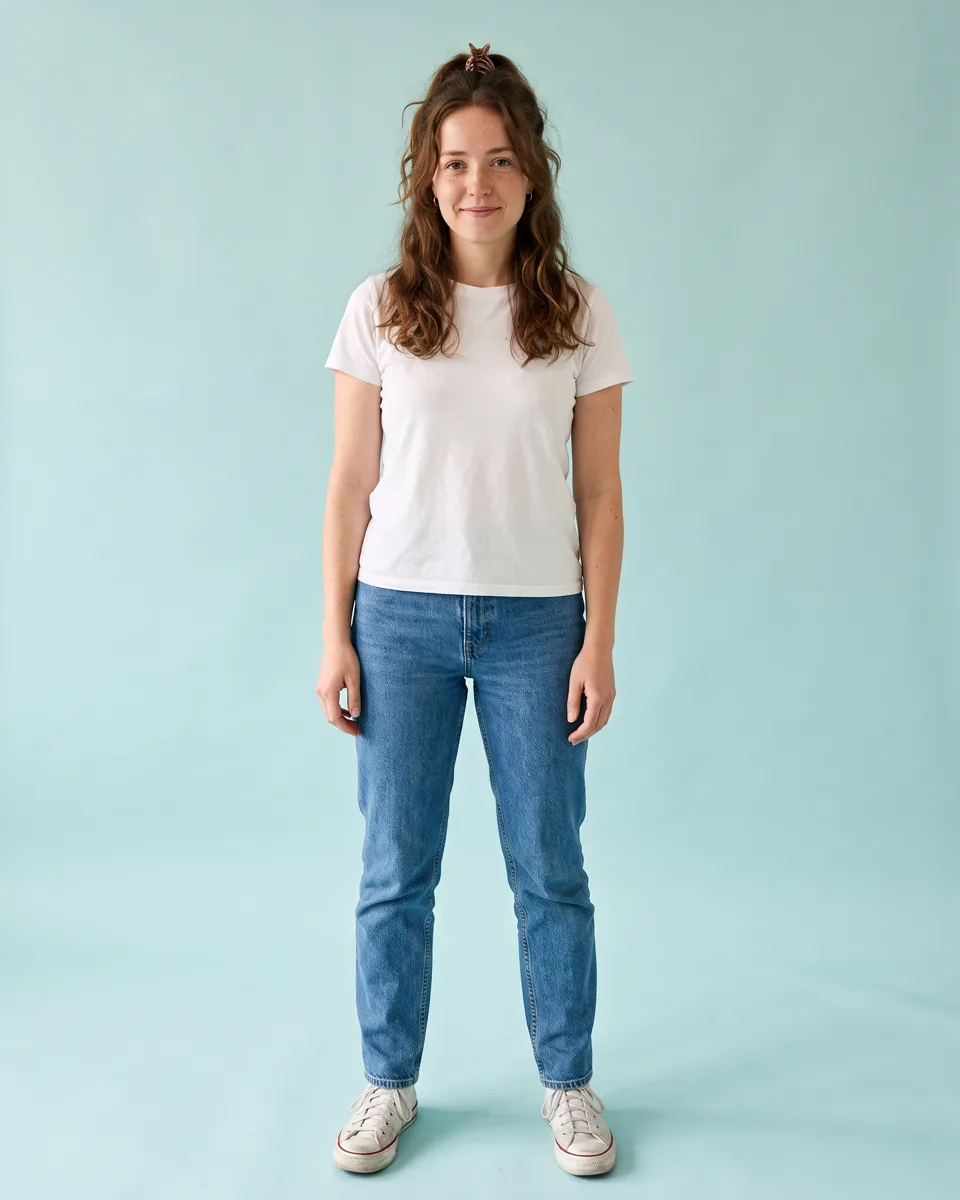
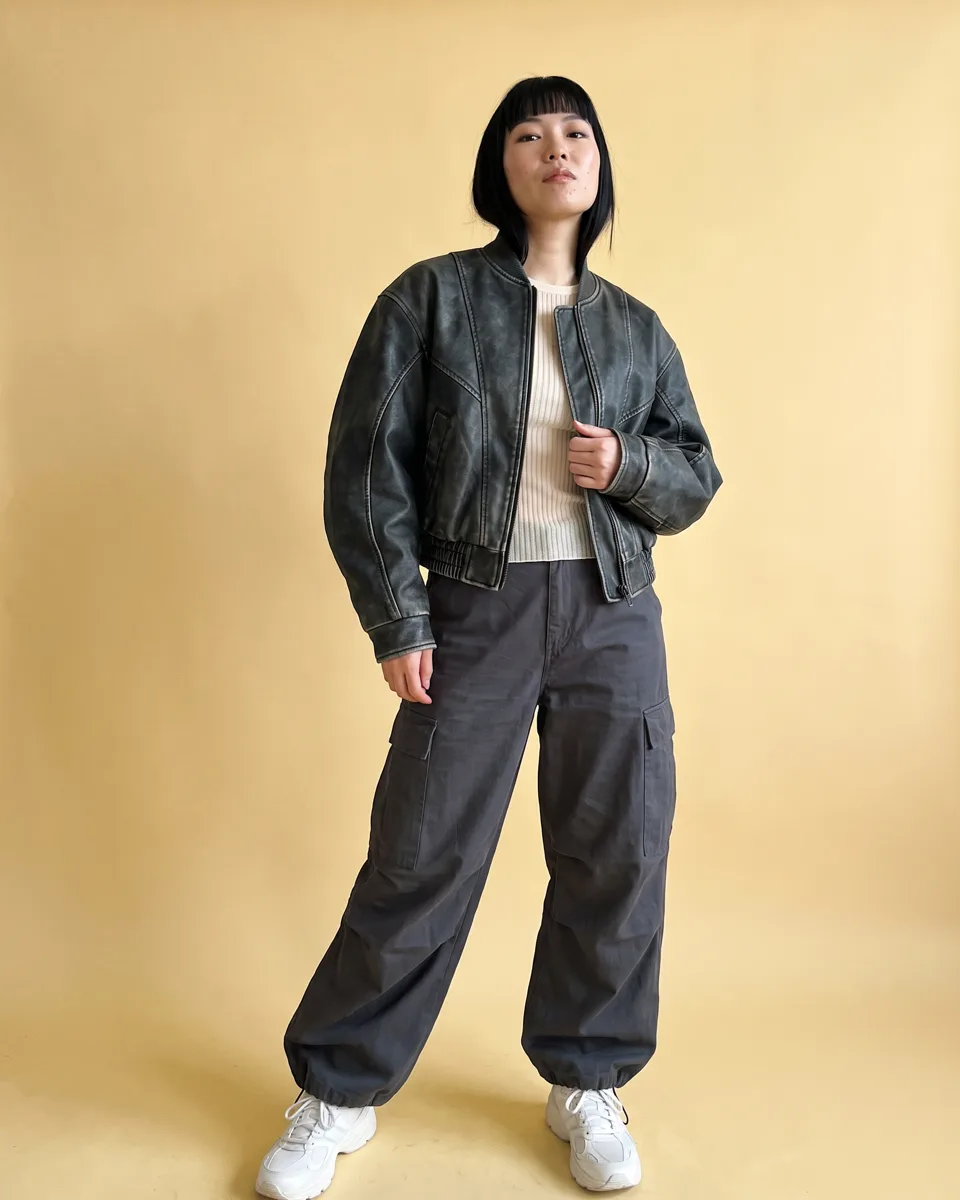
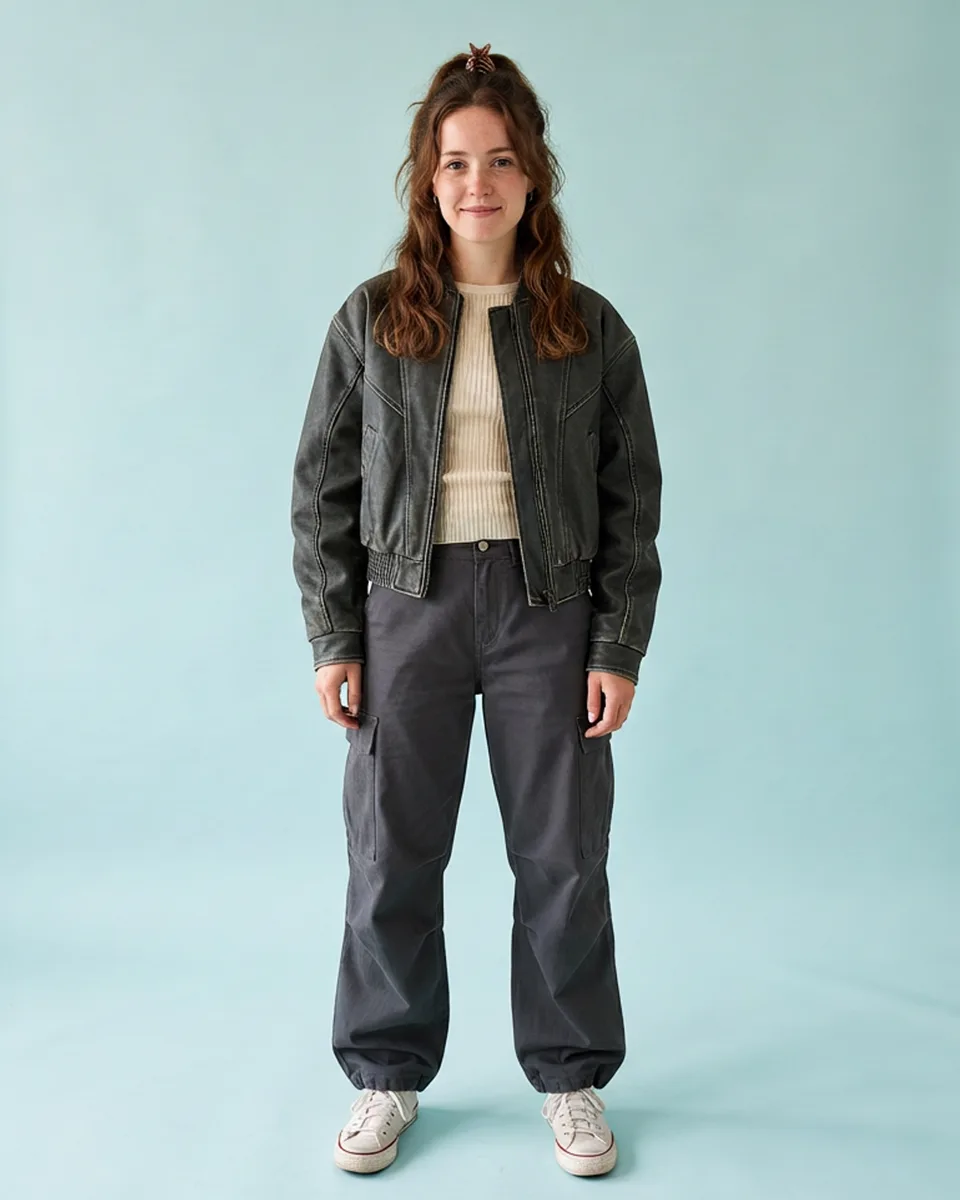
Try on clothes, on you
Plenty of apps let you try clothes on online. The hard part was never that — it is picturing a look on you.


Upload one photo, pick a look, and see it on you — the drape, the shape, the proportions.
One photo. Three looks. Same body, same face, every time. Most try-on tools give you one flat, front-facing picture; that is fine for checking a size and useless for working out whether a look is you.
- Any look you find — from the feed, or an outfit photo you upload.
- Any pose — a jacket reads differently mid-stride than standing still.
How AI try-on works
One clear photo of you. That's the whole setup.
Real fabric, your face
The clothes are re-lit and re-shaped to hang the way real fabric does, not pasted on like a sticker. Your face stays yours in every render.
Private until you post
- Private by default.
- Nothing is published until you publish it.
- Delete any image, or all of them, whenever you want.
Outfit ideas to try on
Not sure where to start? Pick an occasion and try any of its looks on yourself.
 #weddingguest
 #datenight
 #eveningwear
 #workwear
Common questions
Is virtual try-on free?
Yes. SHAYLA is free to download on the App Store and Google Play, and you can explore the feed and start trying on looks without paying anything. Try-ons run on credits, and you get credits just for showing up.
What kind of photo do I need?
One clear, well-lit photo of yourself where your body is visible and not obscured. A normal full-length or upper-body picture works. Better input gives a better result, so a sharp photo in even light beats a dark or blurry one.
Does it work on every body?
Yes. Try-on renders onto the body in your photo, whatever its shape and size, rather than fitting the clothes to a standard model. The proportions you upload are the proportions you get back.
What happens to the photos I upload?
You stay in control of them. Nothing you try on is published unless you choose to publish it, private try-ons stay private, and you can delete any image, or your whole account, from Settings at any time.
Ready to try it on?
Download free. For iOS and Android.
Your photos stay yours. Nothing is published until you publish it.

